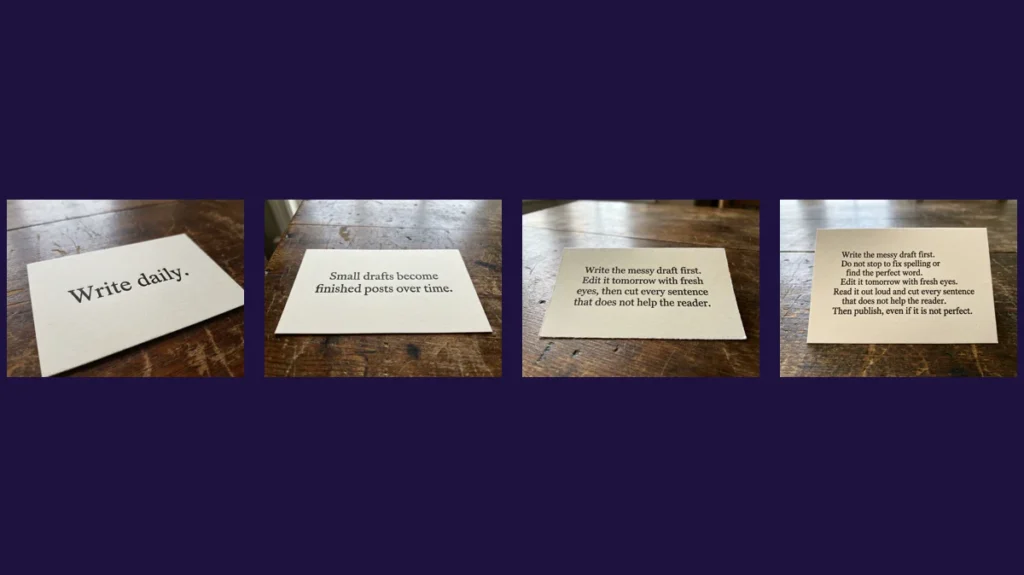
In our test, Nano Banana Pro spelled every word correctly on cards with 2, 7, 18 and about 40 words, and on a card in Vietnamese with tone marks. The problems we saw were not spelling but styling and layout: it added italics we did not ask for, and it ignored a request for separate paragraphs.
Text did break down in one place: when we turned an image into a short video with a different model, the words changed within seconds. Below are the test cards, the prompts and what to do about each issue.
The test images in this article were generated by us with Nano Banana Pro (through CinAI and Google Flow) in November 2026 and are shown without editing. Each prompt was run once, so treat the results as examples, not as a benchmark.
How we tested
- Same scene every time: a cream paper card on a dark wooden table, black serif text, soft side light, 4:3 format.
- Only the text changed: 2, 7, 18 and about 40 words, plus a short Vietnamese sentence with diacritics.
- Model: Nano Banana Pro, which Google describes as having improved text rendering and multilingual support.
- One run per card, unedited.
The results, from 2 to 40 words
2 words: "Write daily."
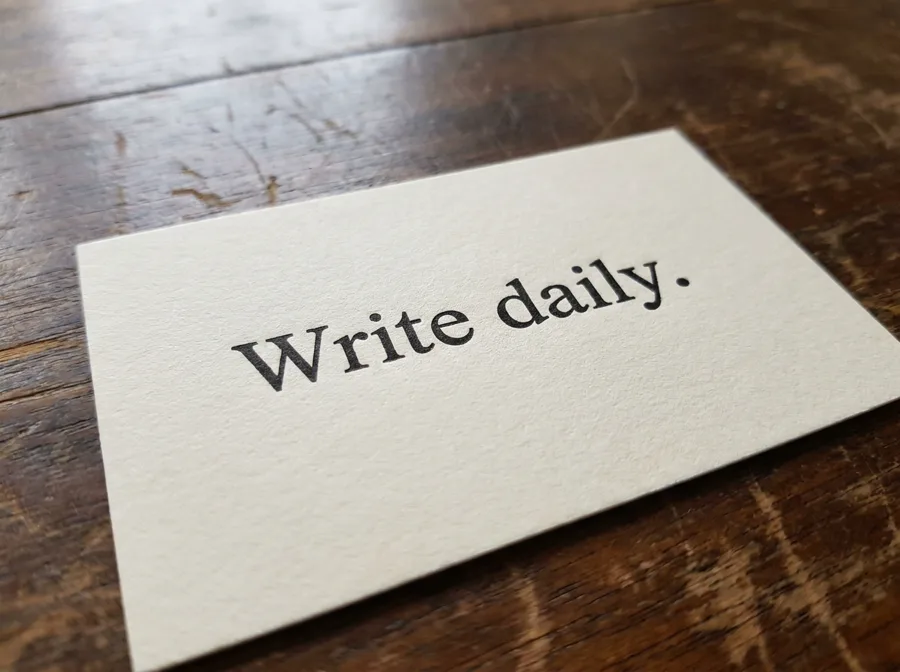
Close-up photo of a cream paper card on a dark wooden table with centered black serif text that reads exactly: "Write daily." Soft side light, realistic photo
Result: Correct, with a clean letterpress look and no extra text.
7 words
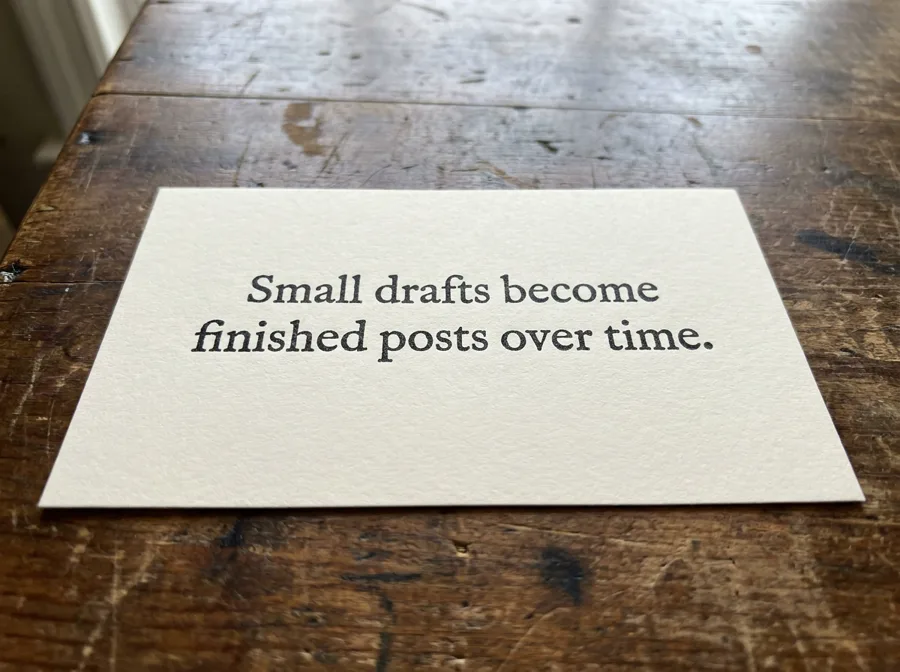
Close-up photo of a cream paper card on a dark wooden table with centered black serif text that reads exactly: "Small drafts become finished posts over time." Soft side light, realistic photo
Result: Correct spelling. The model set "Small" and "finished" in italics, which we did not ask for.
18 words
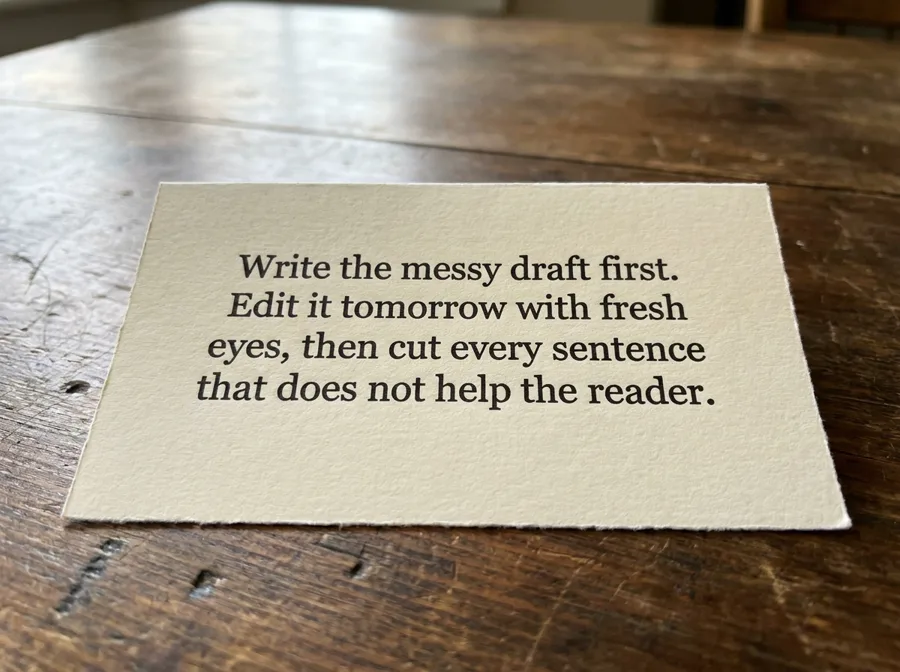
Close-up photo of a cream paper card on a dark wooden table with centered black serif text that reads exactly: "Write the messy draft first. Edit it tomorrow with fresh eyes, then cut every sentence that does not help the reader." Soft side light, realistic photo
Result: Correct spelling across four lines. Again, a few words were italicized without being asked.
About 40 words, three paragraphs requested
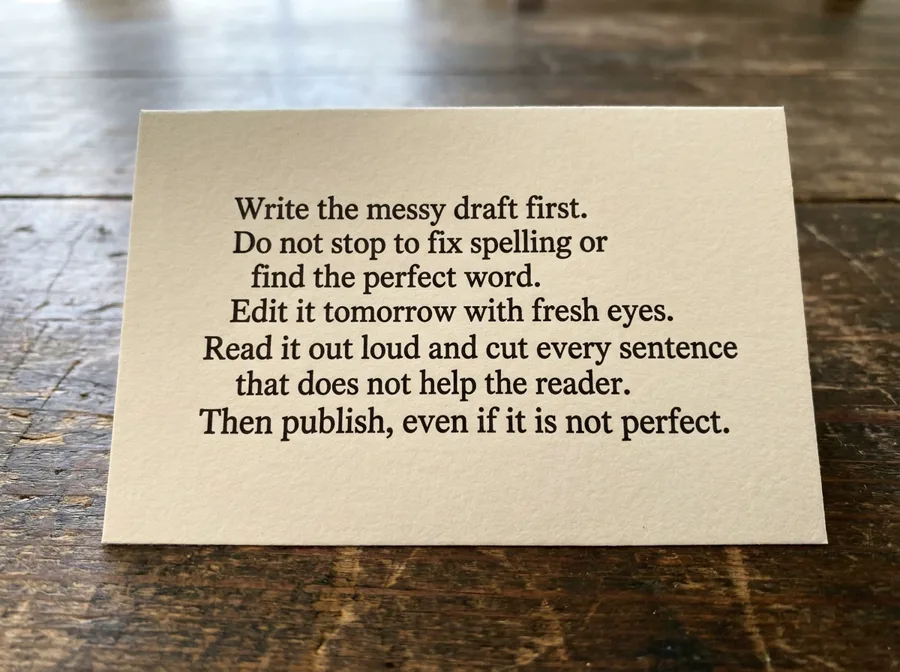
Close-up photo of a cream paper card on a dark wooden table with black serif text in three short paragraphs that reads exactly: "Write the messy draft first. Do not stop to fix spelling or find the perfect word. Edit it tomorrow with fresh eyes. Read it out loud and cut every sentence that does not help the reader. Then publish, even if it is not perfect." Soft side light, realistic photo
Result: Every word is correct. But we asked for three short paragraphs and got one block of seven lines with uneven alignment.
Non-English text: Vietnamese with diacritics
Vietnamese: "Viết mỗi ngày một chút."
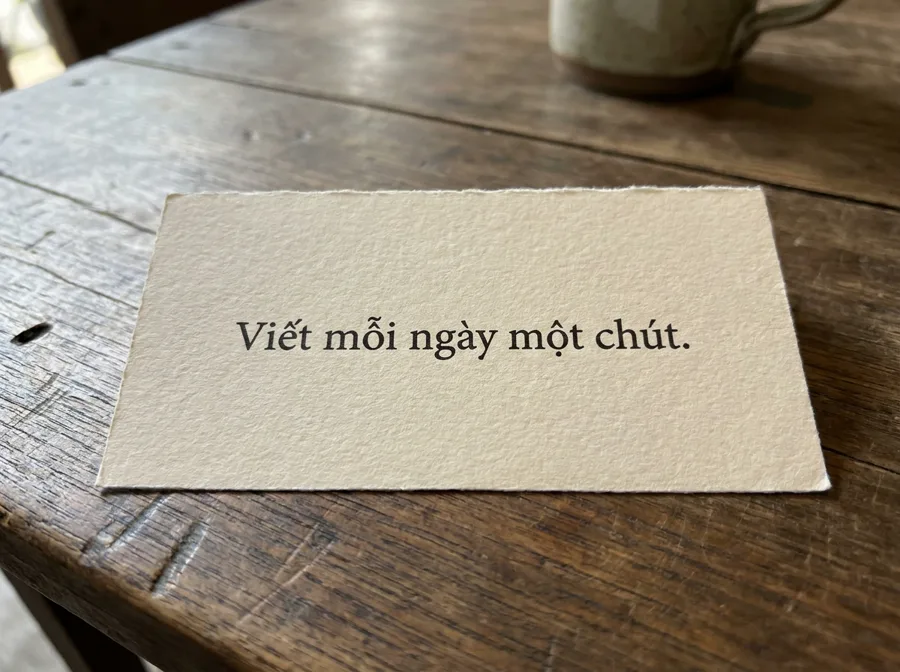
Close-up photo of a cream paper card on a dark wooden table with centered black serif text in Vietnamese that reads exactly: "Viết mỗi ngày một chút." Soft side light, realistic photo
Result: Correct, including every tone mark. The first word was set in italics.
Where the text did break: turning the image into video
Frames from a 5-second video made from a whiteboard image
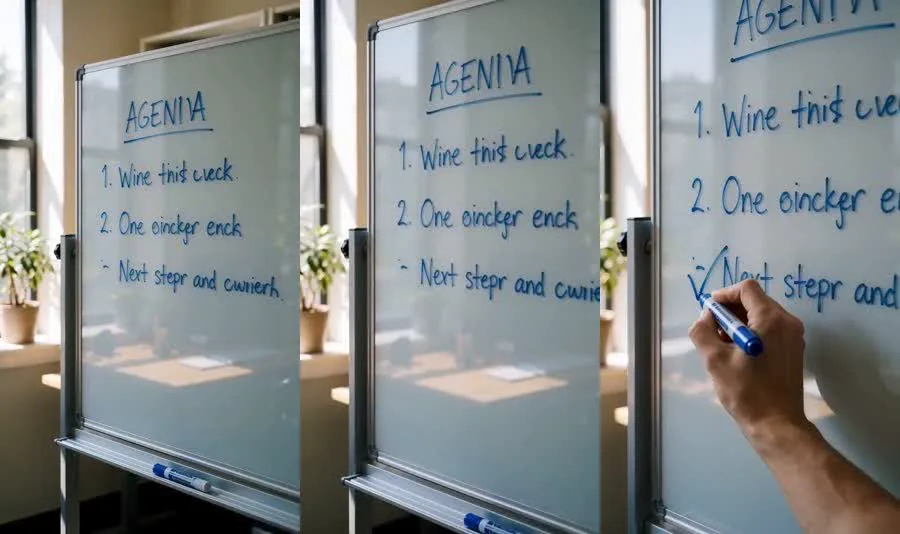
Result: We used a whiteboard image with a three-line agenda as the first frame of a short clip made with a different model (Seedance 2.0). The motion looked natural, but the writing changed: "AGENDA" became "AGENIA" and "Wins this week" became "Wine this ucck". If a visual will be animated, add the text afterwards as an overlay in your video editor.
How to get reliable text in AI images
- Quote the exact words and say “reads exactly”.
- Add “no other text” if the image should contain only your words.
- Specify the typography if consistency matters, for example “plain upright serif, no italics”.
- Split long text into separate elements (a title, a sign, a label) instead of one paragraph, or add body text in a design tool.
- Proofread every letter before publishing, even when the model is usually right.
- Overlay text in video rather than relying on a video model to keep it.
Frequently asked questions
Why is text in AI images often wrong?
Earlier image models often produced garbled letters. Newer models such as Nano Banana Pro handle text much better, and in our test every word was spelled correctly. Layout and styling are now the more common problems, and video models can still distort text.
Can Nano Banana Pro write text in other languages?
Google lists multilingual text rendering as a feature. In our single test, a Vietnamese sentence with tone marks came out correct.
How much text can I put in an AI image?
Our 40-word card was spelled correctly, but the layout ignored our paragraph request. For posters and thumbnails, a few words per line is still the safest choice.